
Understanding Your Dashboard
A quick tour of your dashboard home, navigation, account menu, and where to find the main wedding planning tools.
Last updated May 4, 2026
Your dashboard is the home base for planning your wedding. It opens on the home screen with your countdown, current planning context, and the modules you are most likely to check first.
Dashboard Home
The home screen starts with your wedding countdown, date, location, and a short planning summary. Below it, modules show the latest RSVP totals, contributions, vendor messages, checklist progress, recent activity, and quick actions.
Use this page when you want a fast answer to “What needs my attention today?”
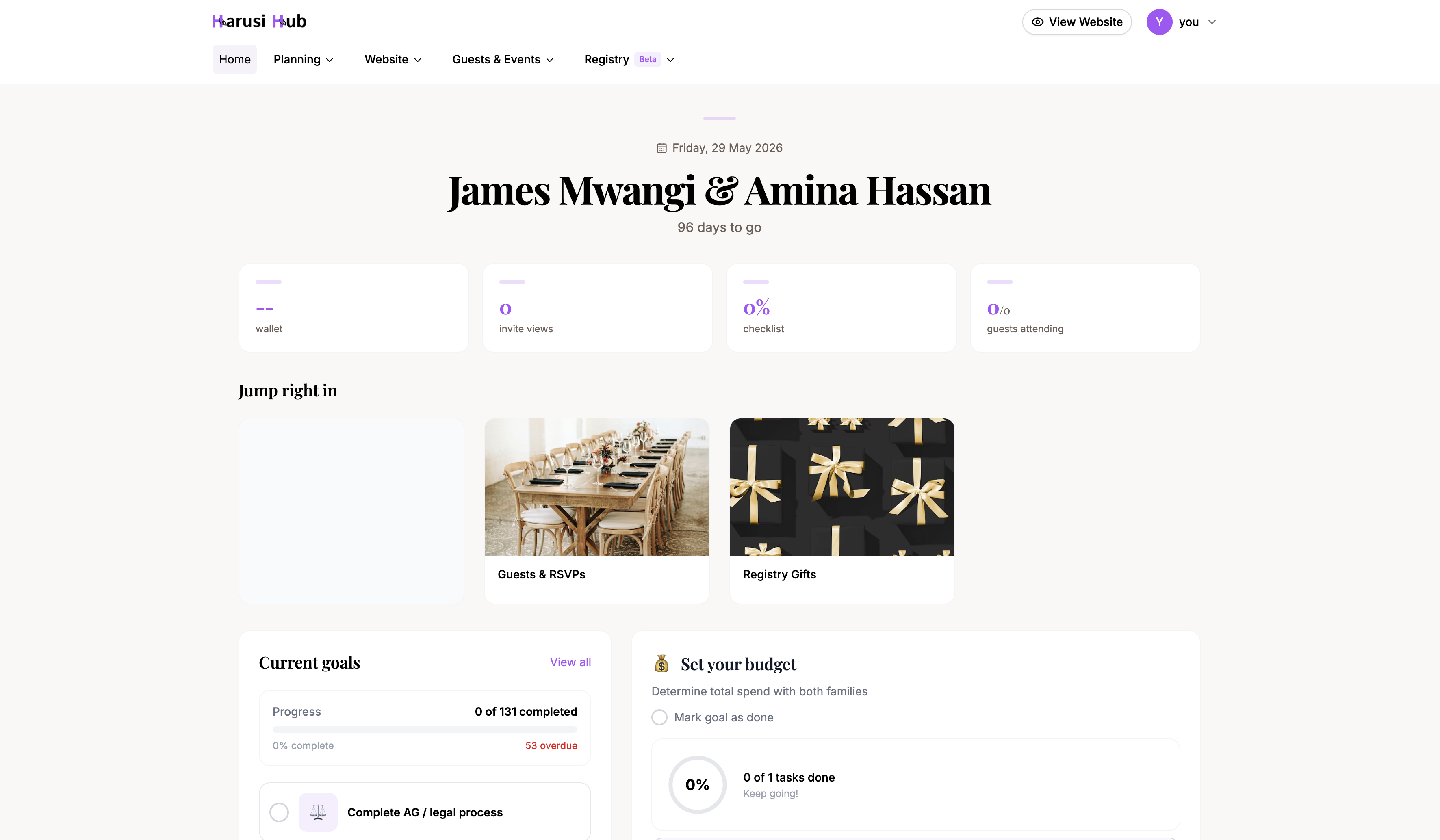
Desktop Navigation
On desktop, the left sidebar groups your work by planning area:
- Your site — edit your website and choose a theme
- Guests — manage guests, invite links, RSVP questions, and thank-you messages
- Planning — open your checklist, wedding day schedule, and events
- Money — track your budget and registry
- People — manage vendors and your planning team
- Settings — update wedding preferences, email, SMS, and payment settings
The top bar includes search, a Preview site button, and your account menu.
Mobile Navigation
On mobile, the bottom tab bar keeps the most common destinations close by:
- Home
- Guests
- Registry
- Vendors
- More
Tap More to open the rest of the dashboard links, including Website, Theme, Invites, RSVP Q&A, Checklist, Schedule, Budget, Team, and Settings.
Account and Profile
Open the round account button in the top bar to manage your personal account:
- View profile — update your personal details, email, and password
- Settings — manage wedding settings, notifications, SMS, and payment details
- Sign out — leave the dashboard securely
Profile changes affect your own account. Settings changes affect the wedding workspace.
Where to Go for Major Actions
Use these destinations for common planning work:
- Website — edit the wedding website guests will see
- Theme — change the website style
- Guests — add guests and track RSVP status
- Invites — create and share personalized invitation links
- RSVP Q&A — ask guests custom RSVP questions
- Checklist — track planning tasks by phase
- Schedule — build the wedding day timeline
- Budget — plan costs and record payments
- Registry — manage gifts and contributions
- Vendors — keep supplier conversations together
- Team — manage collaborators and roles
Loading, Empty, and Error States
Some dashboard areas load wedding data before showing their full content. While data is loading, you may see skeleton rows or placeholder blocks. If there is nothing to show yet, modules use empty states such as No checklist yet. If settings or profile data cannot load, the page shows an error with a retry or a clear next step.
These states are normal and help you understand whether Harusi Hub is still loading, waiting for you to add data, or asking you to retry.