
Create Your Wedding Website
Walk through the 4-step wizard to set your date, add your names, pick a theme, and claim your unique wedding URL.
Last updated February 21, 2026
Getting started with Harusi Hub takes just a few minutes. The creation wizard walks you through four simple steps to set up your wedding website and claim your own unique URL.
Step 1: Set Your Wedding Date
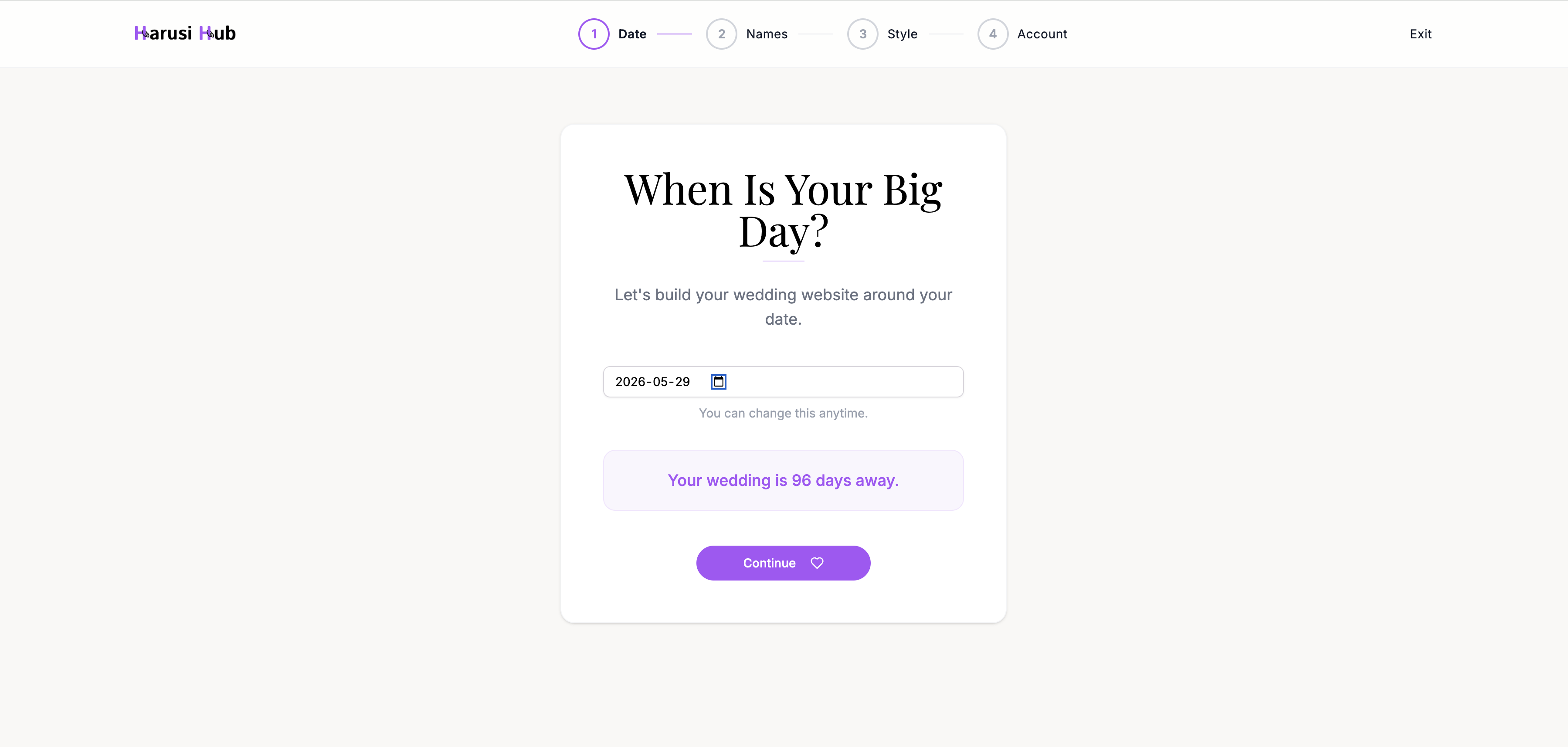
The first thing you’ll do is pick your wedding date. Use the date picker to select the day — it must be at least 7 days from today.
As soon as you choose a date, you’ll see a live countdown preview showing how many days are left until the big day. This same countdown will appear on your wedding website for your guests.
Step 2: Enter Your Names
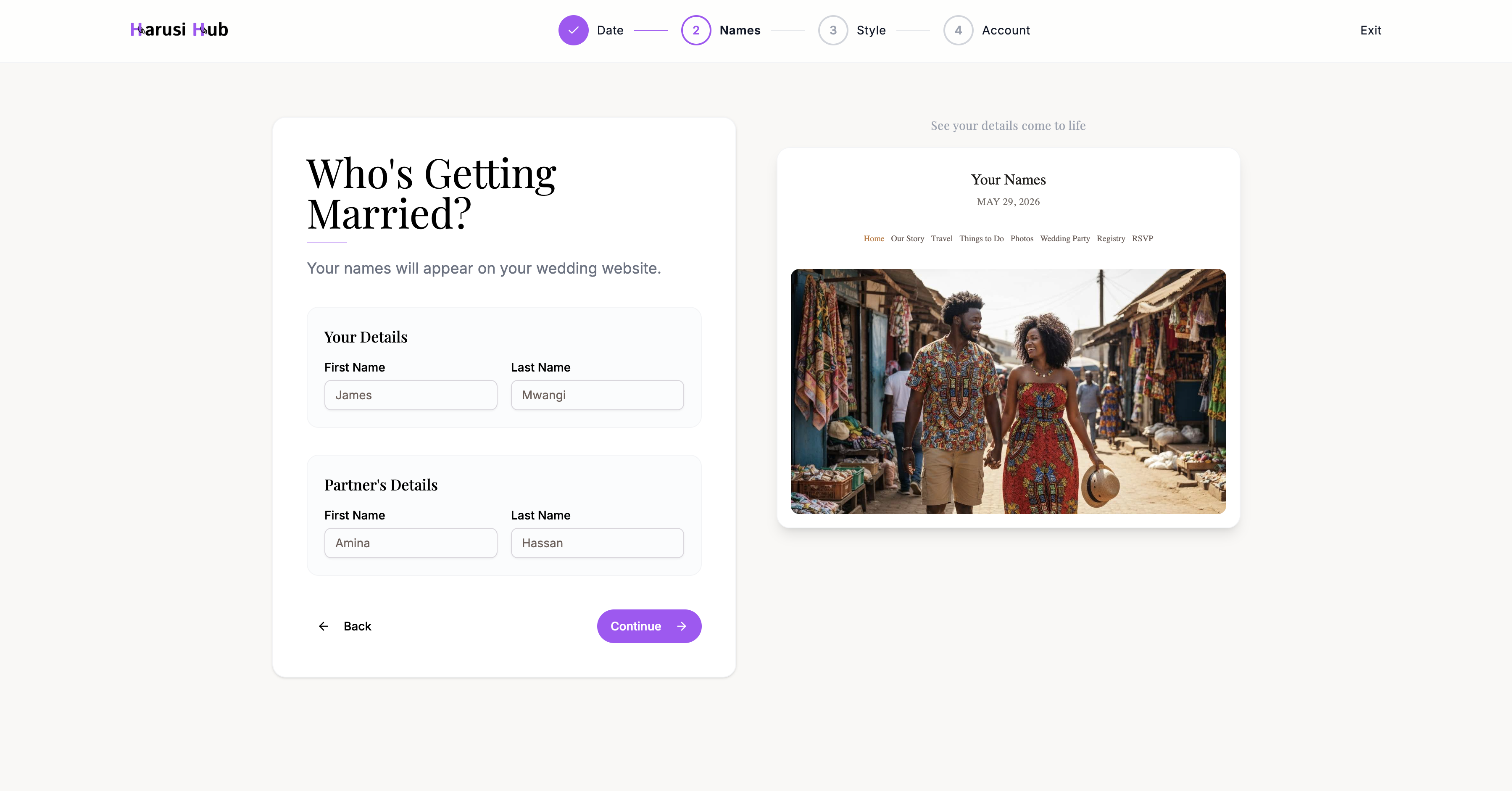
Next, enter both partners’ names. As you type, the live preview on the right side of the screen updates in real time so you can see exactly how your names will appear on your wedding website.
Step 3: Choose a Theme
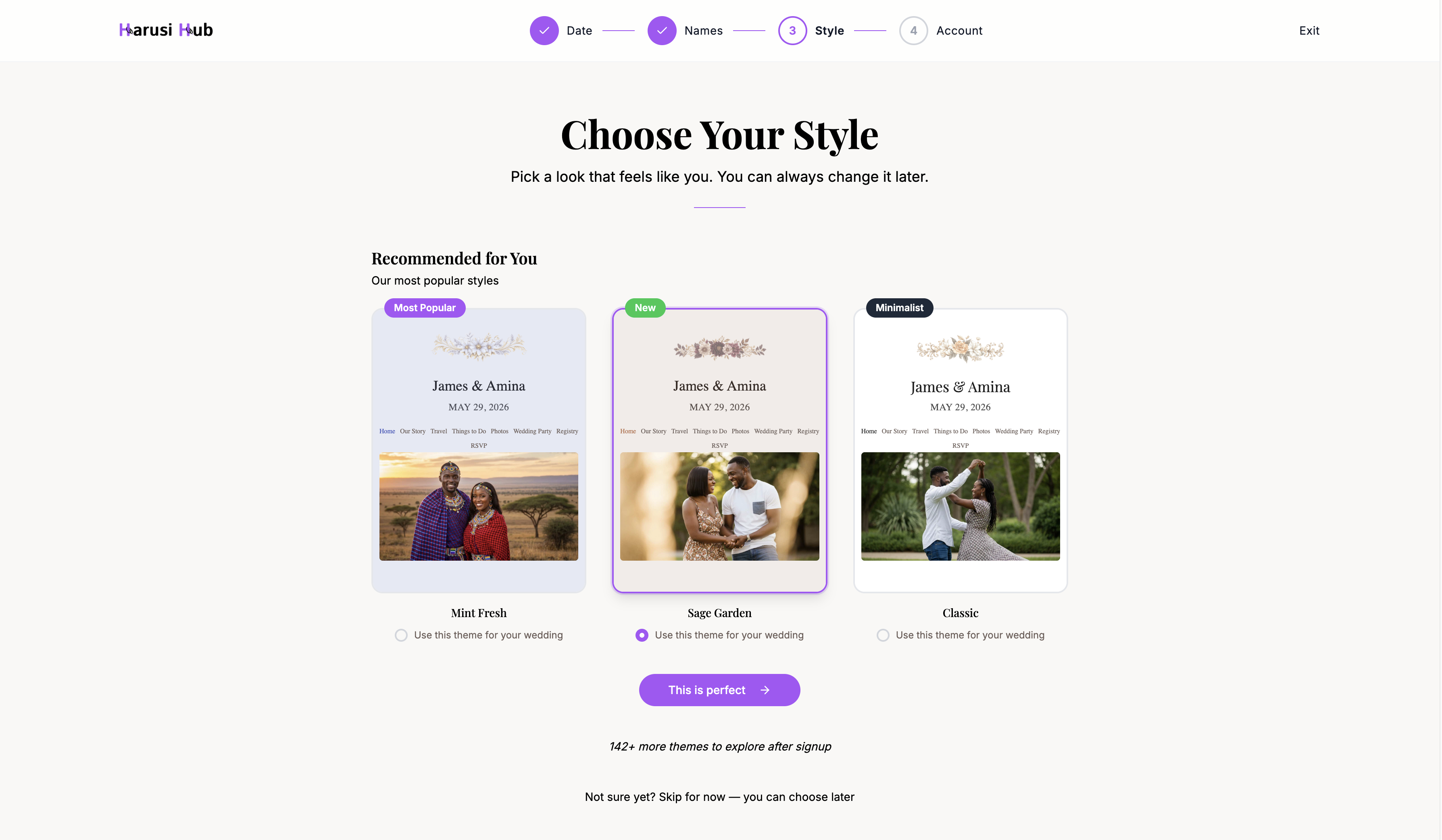
Browse through 146+ wedding website themes to find one that matches your style. Three recommended themes are shown at the top to help you get started quickly.
- Scroll through the grid to explore all available options
- Click a theme card to preview it
- Don’t worry about choosing the perfect one now — you can always change your theme later
If you’d prefer to skip this step, click Skip and a default theme will be applied. You can customize it from your dashboard at any time.
Step 4: Create Your Account and Claim Your URL
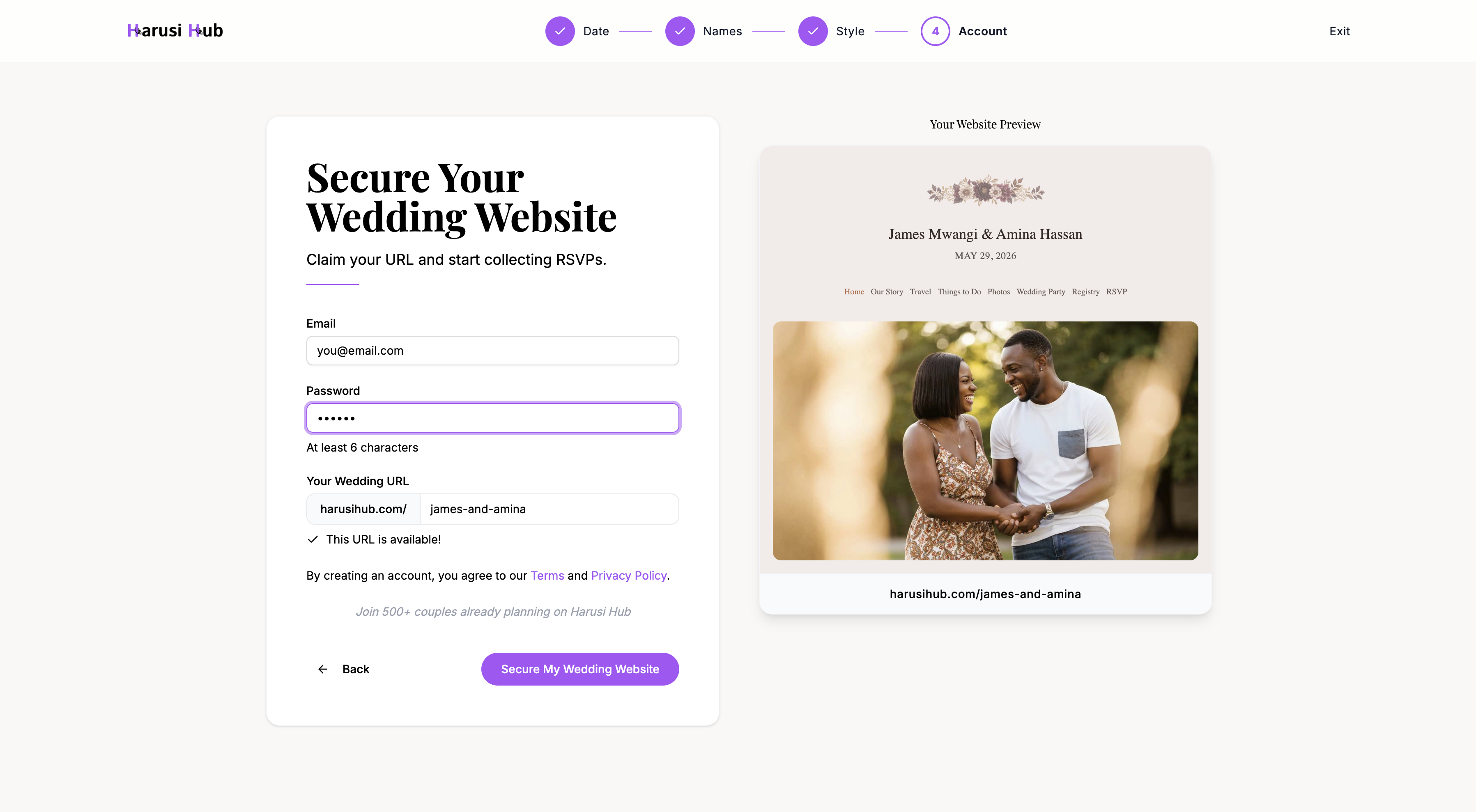
In the final step, you’ll create your Harusi Hub account and claim your unique wedding website URL.
Create your account
Enter your email address and choose a password to create your account.
Claim your unique URL
Your wedding website will live at a URL like harusihub.com/your-names. Here’s how it works:
- A URL slug is suggested based on the names you entered
- The system checks availability in real time as you type
- If your preferred slug is taken, you’ll see suggested alternatives
- Pick one that works for you and confirm
What Happens Next
Once you finish the wizard, you’ll land on your dashboard — your central hub for planning everything. Depending on your setup, you may also see a short onboarding flow with quick tips to help you get the most out of Harusi Hub.
From here you can start inviting guests, setting up your budget, building your registry, and customizing your website.