
Send a Thank You Message
Write and send a personalized thank you message with an optional video to all your wedding guests.
Last updated February 21, 2026
What is the thank you feature?
After your wedding, Harusi Hub gives you a simple way to send a heartfelt thank you message to all your guests. You can include a personal message and an optional video, then deliver it via email and SMS.
Getting to the thank you page
Go to Dashboard > Thank You. This option appears after your wedding date has passed. You can also find it in the post-wedding section of your dashboard.
The feature uses a 5-step guided process that walks you through writing, previewing, and sending your message.
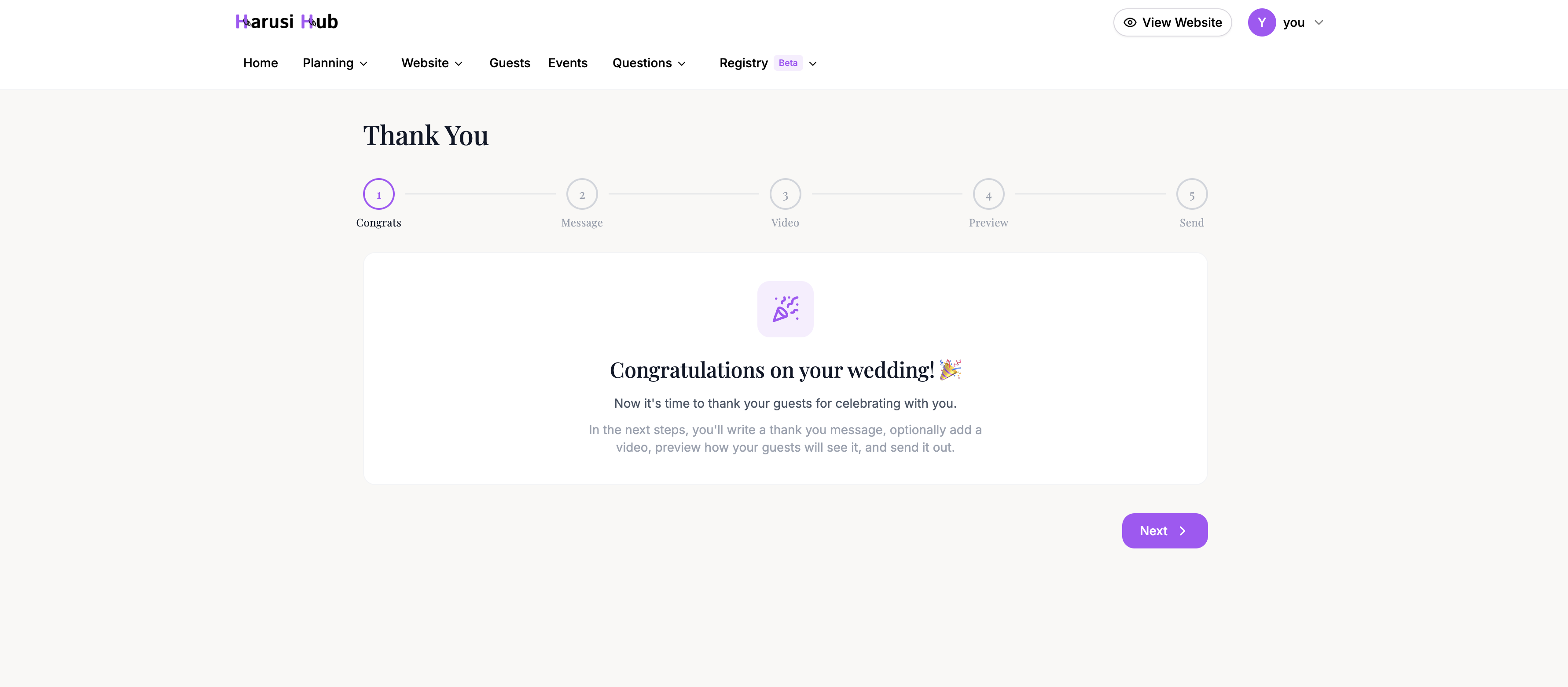
Step 1: Congratulations
The first step is a welcome screen congratulating you on your wedding. Click Next to begin crafting your message.
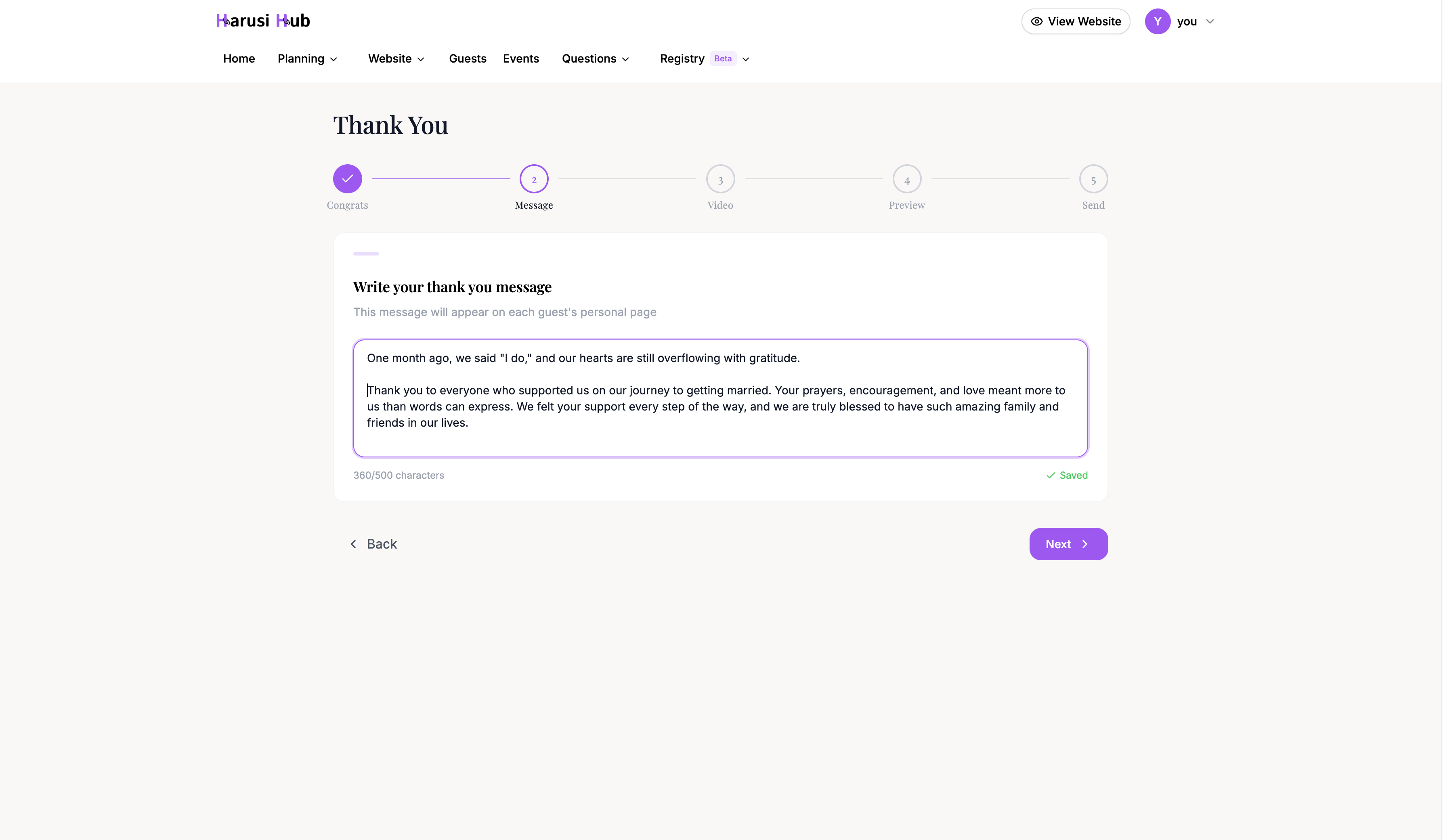
Step 2: Write your message
Type your thank you message in the text area. You have a maximum of 500 characters to work with, so keep it sincere and concise.
Your message auto-saves as you type. After you stop typing for 3 seconds, the system saves your draft automatically. A save status indicator at the bottom of the text area confirms when your message has been saved.
You can come back to this page later and your draft will still be there.
Step 3: Add a video (optional)
If you’d like to include a video message for your guests, paste a YouTube or Vimeo URL into the field. A live preview of the embedded video will appear so you can verify it looks correct.
This step is completely optional. If you don’t want to include a video, click Skip to move to the next step.
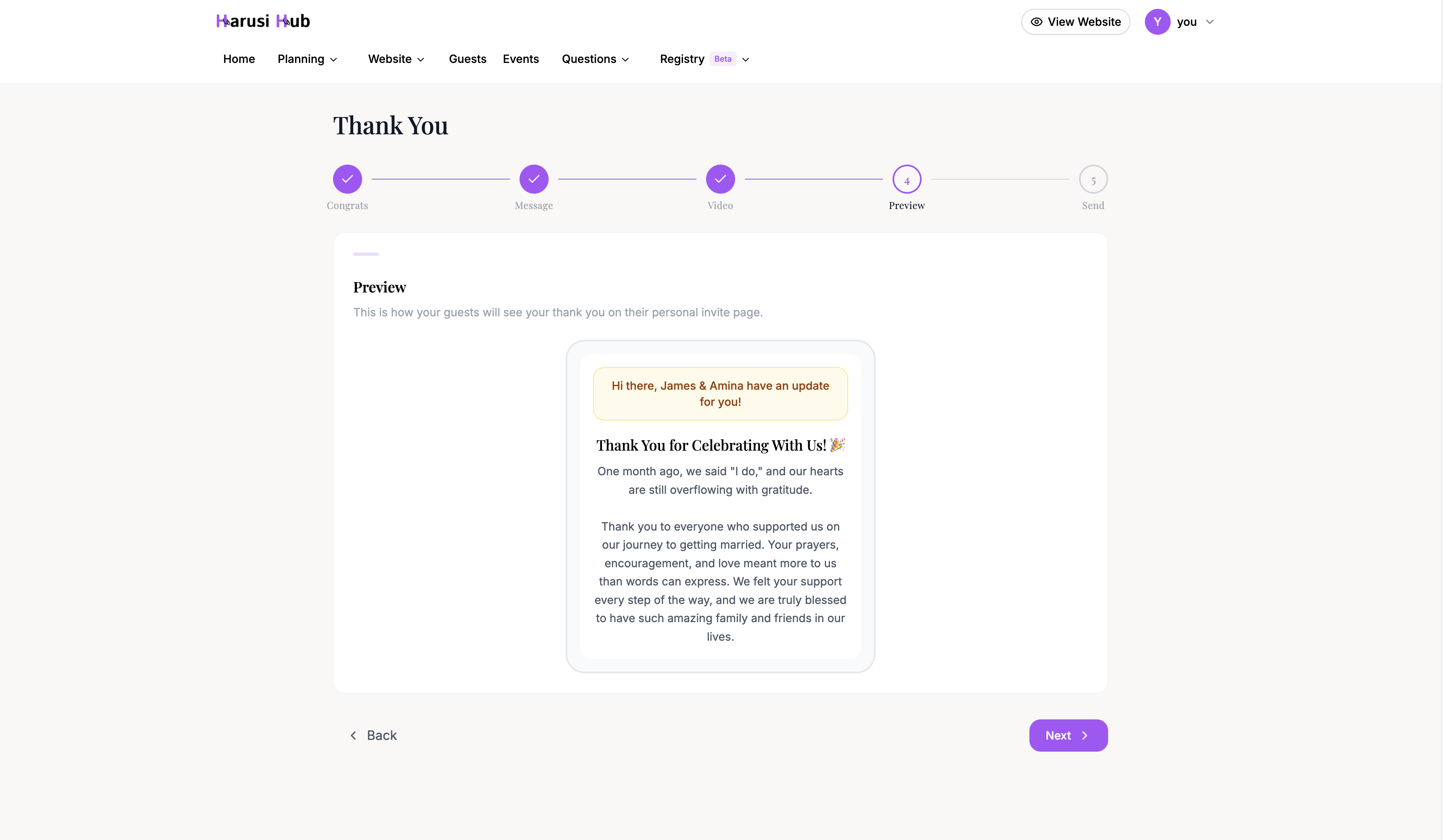
Step 4: Preview your message
Before sending, you’ll see a phone mockup showing exactly how your guests will experience the thank you message. The preview includes:
- An alert banner notifying them of the message
- Your written thank you text
- The embedded video (if you added one)
Review the preview carefully to make sure everything looks the way you want.
Step 5: Send your message
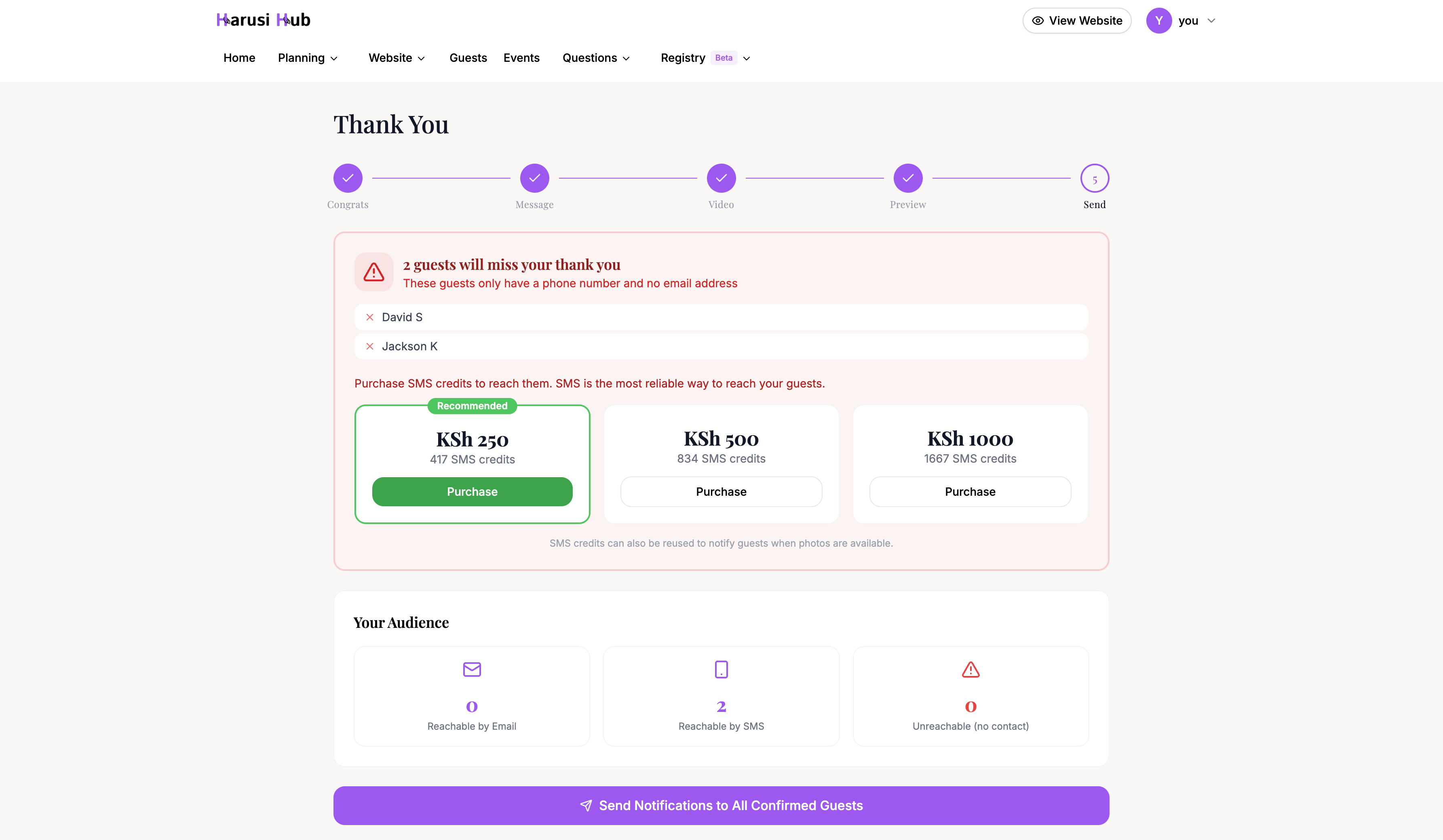
The final step shows you audience analytics so you know exactly who will receive your message:
- Reachable by email — guests with an email address on file
- Reachable by SMS — guests with a phone number but no email
- Unreachable — guests with neither email nor phone number
If some of your guests are only reachable by SMS, the system will show you how many SMS credits are needed. SMS credit packages are available at the following tiers: 250 KES, 500 KES, and 1,000 KES.
Review the audience breakdown, then click Send to deliver your thank you message to all reachable guests.
Tracking video views
After you’ve sent your message, the thank you page transforms into an analytics dashboard where you can track engagement with your video.
The dashboard shows:
- Total views — how many times the video has been watched
- View rate — the percentage of guests who watched the video
- Who viewed — a list of guests who watched, including the date and time
- Who hasn’t viewed — guests who received the message but haven’t watched yet
This helps you see how many guests engaged with your thank you message after the wedding.