
Find Wedding Vendors
Browse the Harusi Hub marketplace to discover, compare, and contact wedding vendors across 18 categories.
Last updated May 4, 2026
The Harusi Hub Marketplace is where you find and connect with wedding vendors — from venues and photographers to caterers, DJs, and everything in between. You can browse by category, search by keyword, filter by location and price, save your favourites, and send inquiries directly from the platform.
Getting to the Marketplace
There are two ways to reach the Marketplace:
- Main navigation — Click Marketplace in the top navigation bar (available whether you’re logged in or not)
- Dashboard vendor inbox — From Dashboard > Vendors, click Find vendors to open the Marketplace
Using the Vendor Inbox from Your Dashboard
Your dashboard vendor page is your planning inbox. It keeps one thread per supplier so quotes, contracts, attachments, and follow-ups stay in one place.
When you have not contacted any vendors yet, the page shows an empty inbox with Find vendors and Add vendor actions. Use Find vendors when you want to browse the public marketplace and start a vendor inquiry from a verified vendor profile.
After you have active vendor conversations, use the inbox search and status filters to narrow threads by quote, contract, or completed status.
Exploring the Marketplace Home
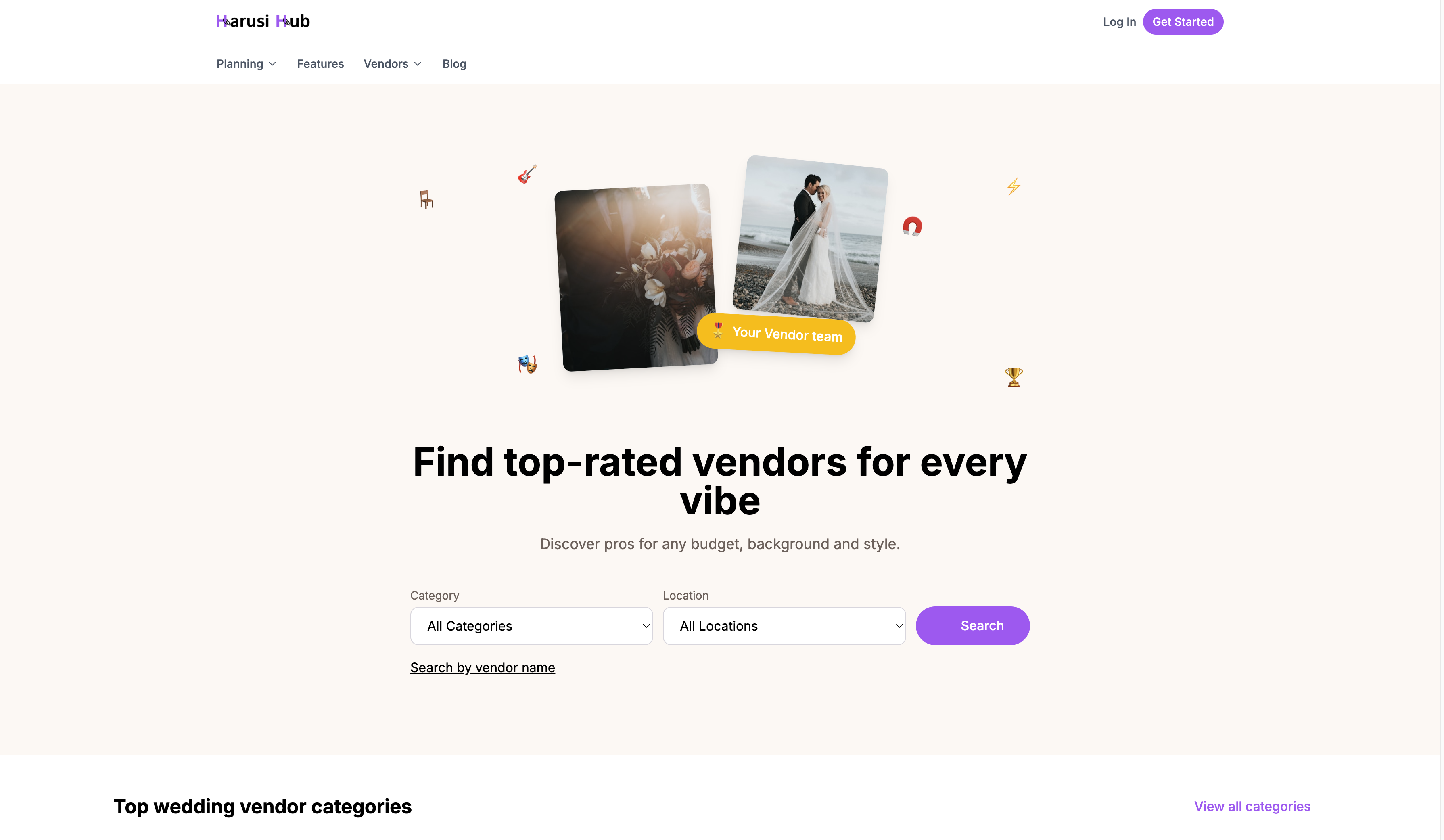
The Marketplace home page is your starting point for discovering vendors. At the top you’ll find a hero search form with two dropdowns:
- Category — Choose from any of the 18 vendor categories
- Location — Select the area where you’re looking for vendors
Below the search form, the page is organised into several sections:
- Featured vendors — A curated selection of top-rated vendors
- Top categories — A visual grid of the most popular vendor types
- All 18 categories — The full list of vendor categories you can browse
- Browse by location — Find vendors near your wedding venue or city
The 18 Vendor Categories
Harusi Hub covers every type of wedding vendor you might need:
- Venues
- Photography
- Videography
- Makeup & Beauty
- Decor
- Catering
- Cakes
- DJ / MC
- Planning
- Fashion
- Transport
- Flowers
- Invitations
- Jewelry
- Officiant
- Entertainment
- Rentals
- Other
Click any category to see all available vendors in that category.
Browsing a Category
When you open a vendor category, you’ll see a grid of vendor cards. Use the filters at the top to narrow your results.
Filters available
- Location — Filter vendors by the area they serve
- Price range — Choose from Under 50K, 50–100K, 100–200K, 200–500K, or 500K+
- Sort by — Recommended, Highest Rated, Most Reviewed, Price Low to High, Price High to Low, or Newest
As you scroll, click Load More to see additional vendors. On the right side of the page, you’ll also see a sidebar with “Other vendors you might like” — suggestions from related categories.

Searching for Vendors
If you already know what you’re looking for, use the keyword search on the Marketplace home page. Type a vendor name, service, or keyword and hit search.
The search results page shows matching vendors in a grid, with the same location, price range, and sort filters available on category pages. This makes it easy to refine your results after searching.
Understanding Vendor Cards
Each vendor card in the grid gives you a quick overview at a glance:
- Portfolio images — A carousel of photos you can swipe through
- Business name and category
- Rating and review count — Star rating with the number of reviews
- Locations served
- Starting price — The vendor’s base price
- Verification badge — Indicates the vendor has been verified by Harusi Hub
- “Responds quickly” badge — Shown for vendors who typically reply fast
- Save button — The heart icon lets you save the vendor to your favourites
- Request Quote button — Opens the inquiry form directly from the card

Viewing a Vendor Profile
Click on a vendor card to open their full profile page. The profile includes several sections:
- About — A description of the vendor and their business
- Services — What they offer for weddings
- Pricing — Starting price and typical spend range so you can gauge if they fit your budget
- Amenities — Facilities or extras included (common for venues)
- Availability — Whether the vendor is available around your wedding date
- Reviews — Ratings and feedback from other couples
- Contact — How to reach the vendor
- Details — Additional business information
At the bottom of the profile, you’ll also see similar vendor recommendations to help you compare options in the same category.

Saving Vendors
Found a vendor you like but not ready to reach out yet? Save them for later by clicking the heart icon on their card or profile page. You’ll need to be logged in to save vendors.
Following up with vendors
Once you send an inquiry or start a vendor conversation, go to Dashboard > Vendors to continue the thread. This page is for active supplier conversations, quotes, contracts, and attachments.
Use the inbox search and status filters to revisit the vendors you’re considering and keep follow-ups organised by conversation.
Sending an Inquiry
When you’re ready to reach out to a vendor, click the Request Quote button on their card or profile page. This opens the inquiry modal where you can introduce yourself and describe what you’re looking for.
What to fill in
- Your name — Pre-filled if you’re logged in
- Email address — Pre-filled if you’re logged in
- Phone number — So the vendor can call or text you
- Wedding date — Auto-filled from your wedding details
- Guest count — Helps the vendor provide an accurate quote
- Services interested in — Select which of the vendor’s services you need
- Message — Describe what you’re looking for (minimum 20 characters)
Once you submit, the vendor will receive your inquiry and can respond directly. After sending an inquiry, you’ll also see similar vendor recommendations in case you want to reach out to more vendors for comparison.

Tips for Finding the Right Vendors
- Start broad, then filter — Browse a full category first to see what’s available, then narrow down by location and price
- Read reviews — Other couples’ experiences are one of the best ways to gauge a vendor’s reliability
- Save as you go — Use the heart icon liberally so you can come back and compare later
- Send multiple inquiries — It’s perfectly normal to contact 3–5 vendors in the same category to compare quotes and availability
- Check for badges — Verified vendors and those who respond quickly can give you extra confidence