
Manage Your Notifications
Control which email and SMS notifications you receive and manage your SMS credits.
Last updated May 4, 2026
Harusi Hub keeps you and your guests informed through email and SMS notifications. You can customize exactly which notifications are sent and when.
Open Account Settings
Go to Dashboard > Settings. The settings page has four tabs:
- Wedding — site slug, password, RSVP deadline, names, and currency
- Email — email notification preferences and test email
- SMS — SMS preferences, balance, usage, and credit purchases
- Payments — M-Pesa account details and guest contribution instructions
Email Notification Settings
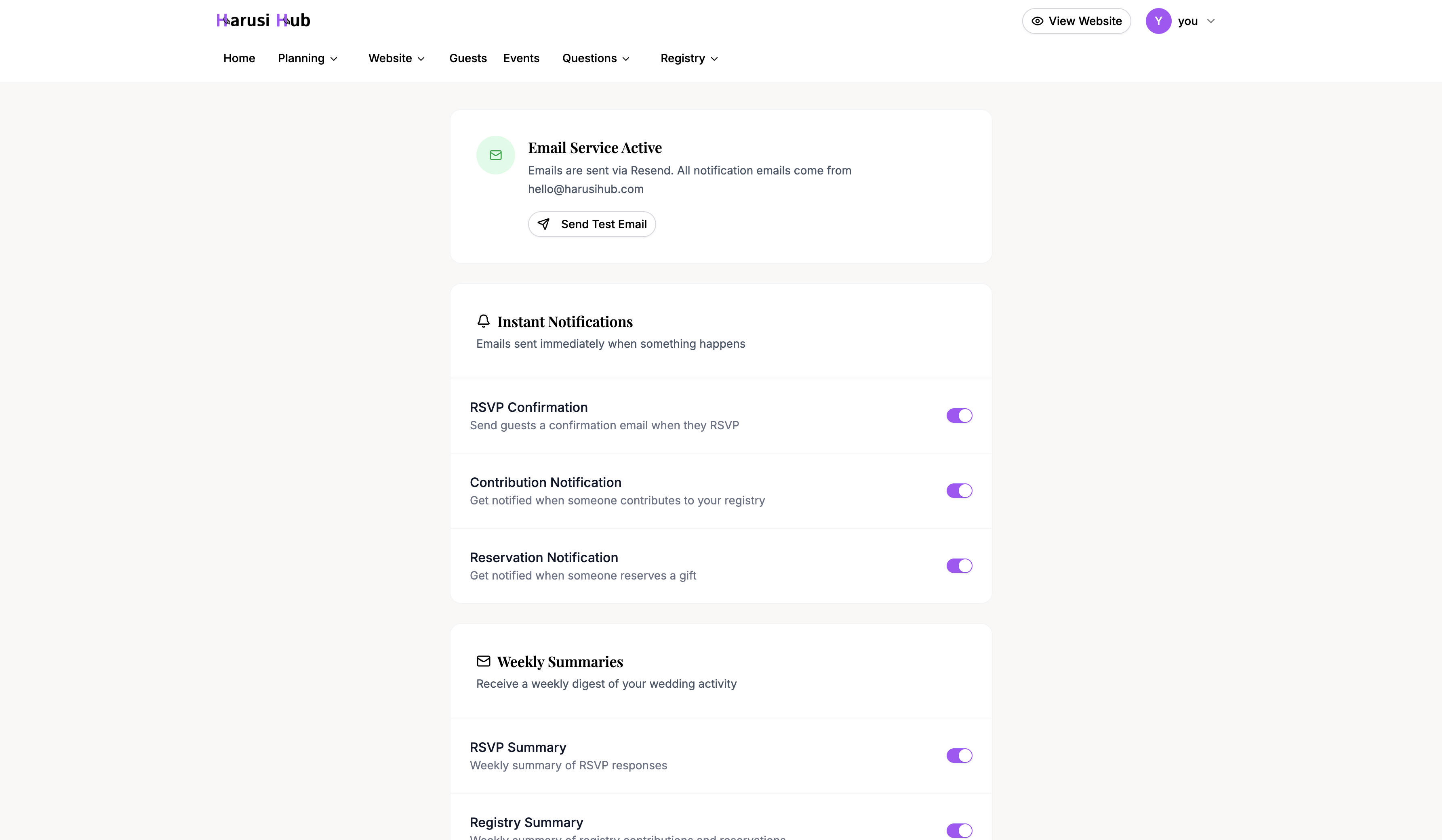
To manage your email preferences, open Dashboard > Settings and click the Email tab.
You’ll find two groups of email notifications you can toggle on or off:
Instant Notifications
These are sent immediately when an action happens:
- RSVP Confirmation — notifies you when a guest RSVPs
- Contribution Notification — notifies you when someone contributes to your registry
- Reservation Notification — notifies you when a guest reserves a registry item
Weekly Summaries
These are sent once a week to give you a recap:
- RSVP Summary — a weekly overview of new RSVPs
- Registry Summary — a weekly overview of registry activity
Toggle each notification on or off depending on what you want to receive. You can also click Send Test Email to verify that emails are reaching your inbox.
Good to Know
- All emails are unlimited and free — there’s no cost or cap on email notifications.
- Partner invitations and RSVP confirmation emails to guests are always sent regardless of your settings. These are essential system emails that can’t be turned off.
SMS Notification Settings
To manage your SMS preferences, open Dashboard > Settings and click the SMS tab.
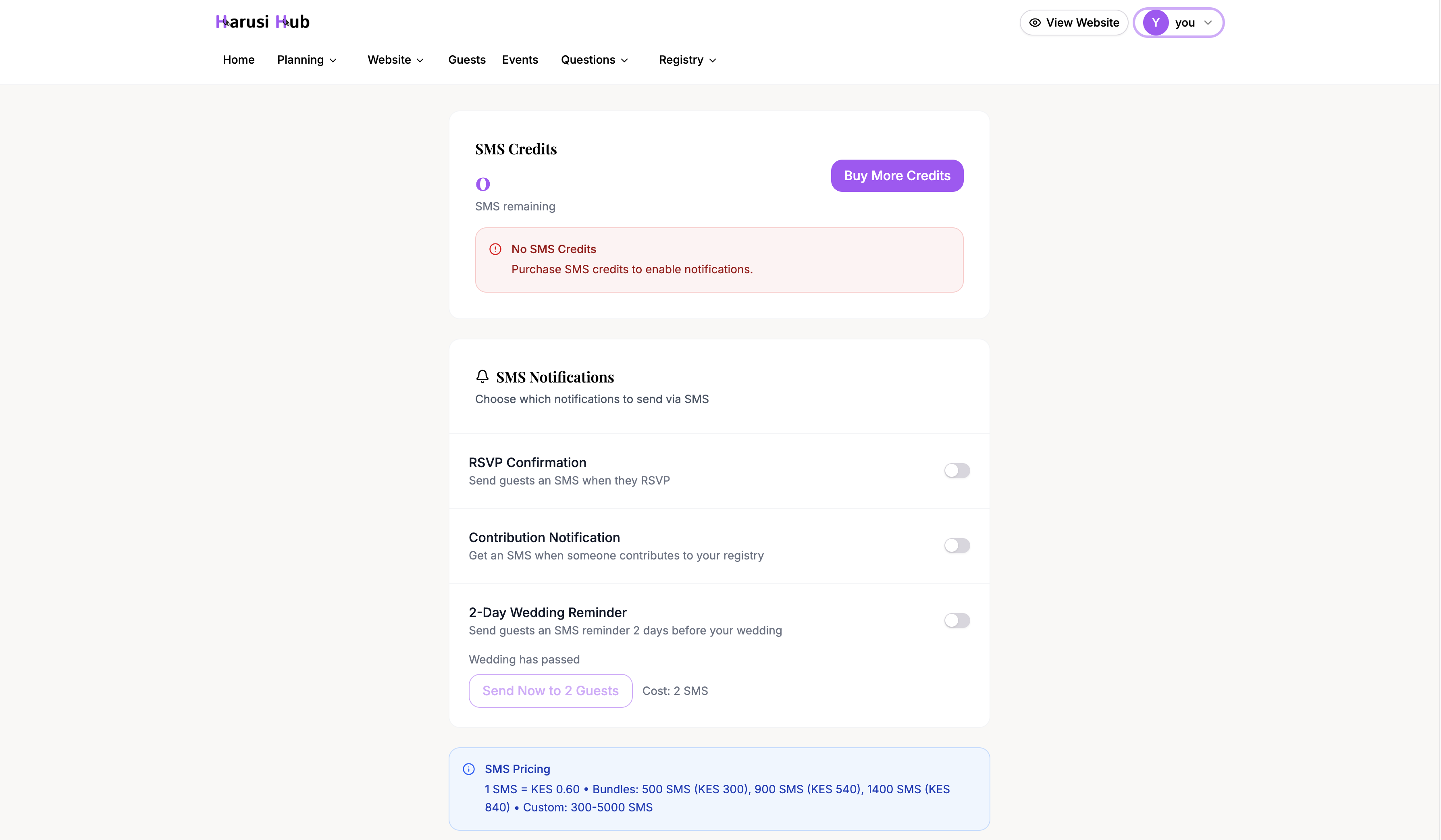
At the top of the page, you’ll see your current SMS credit balance. Each SMS notification costs credits, so you’ll want to keep an eye on this.
Buying SMS Credits
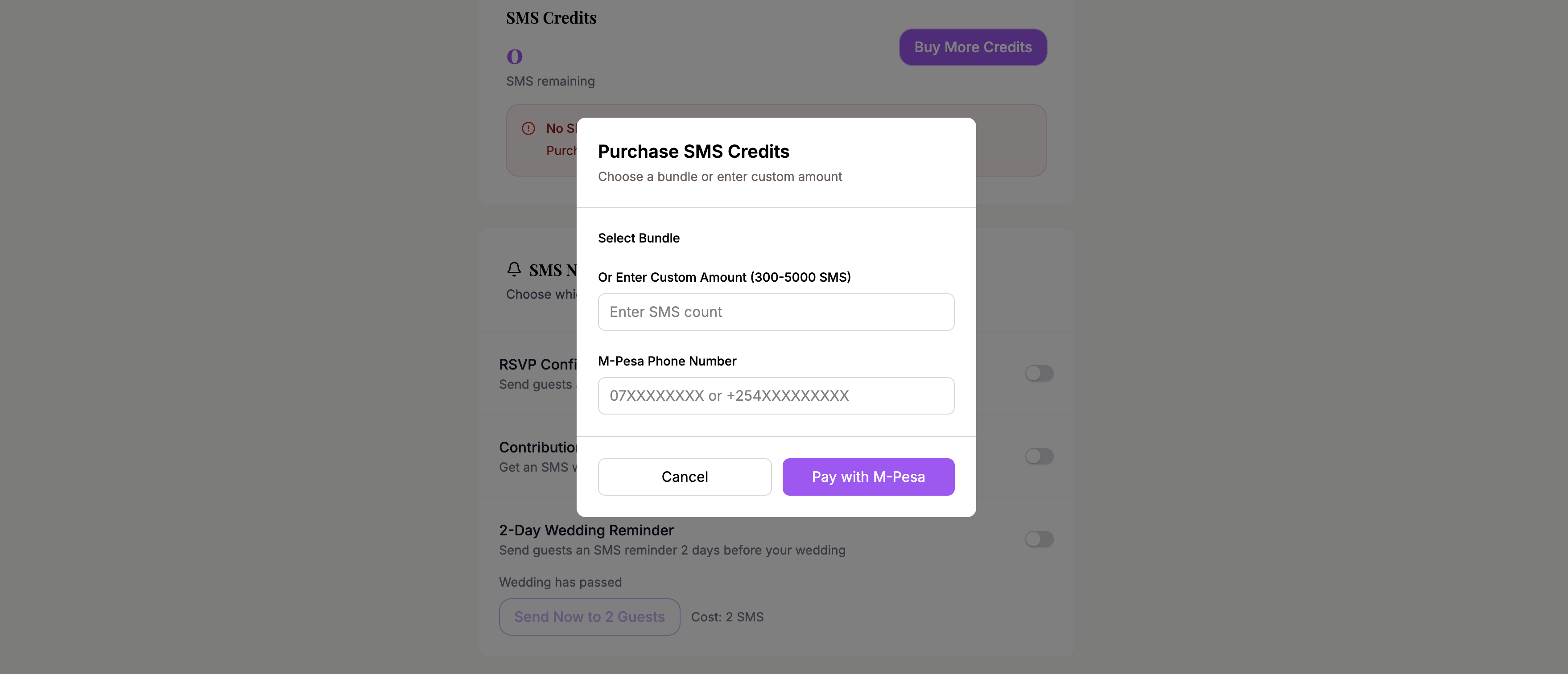
Click Buy SMS to purchase additional SMS credits. Pricing is as follows:
- 1 SMS = KES 0.60
- 500 SMS — KES 300
- 900 SMS — KES 540
- 1,400 SMS — KES 840
Larger bundles offer better value per message. Choose a bundle and complete the purchase to add credits to your balance.
SMS Notifications
You can toggle these SMS notifications on or off:
- RSVP Confirmation — sends an SMS to guests confirming their RSVP
- Contribution Notification — notifies you via SMS when someone contributes
- 2-Day Wedding Reminder — sends a reminder to guests two days before your wedding
If your credit balance is low or at zero, you’ll see a warning prompting you to top up before notifications can be sent.
Wedding Reminder
The 2-Day Wedding Reminder works a bit differently from other notifications. Instead of being fully automatic, it has a manual send option:
- Go to the Wedding Reminder section in your SMS settings
- You’ll see how many guests are eligible to receive the reminder
- A cost preview shows how many credits will be used
- Click Send to deliver the reminders
The system tracks which guests have already received the reminder, so you won’t accidentally send duplicates.
SMS Usage History
Harusi Hub keeps a record of all SMS messages sent from your account.
On the SMS settings page, you’ll see recent messages at a glance. Use this history to confirm whether notifications were sent and to track which notification type used credits.
Wedding and Payment Settings
Use the Wedding tab when you need to change the public site slug, site password, RSVP deadline, partner names, or whether RSVP submissions are open.
Use the Payments tab to manage the M-Pesa account name, M-Pesa phone number, and the contribution instructions guests see on your registry or contribution page.
Profile Settings
Your personal account details live under Dashboard > Profile. Use this page to update your display name, phone number, email address, or password. Invalid email addresses and mismatched passwords are blocked before submission so you can correct them safely.